
How to register and tie a bank card on Aliexpress from the phone through a mobile application?
In this article we will talk how to tie a map on Aliexpress in a mobile application.
Mobile application Aliexpress Enjoying great popularity, but questions on it have no less questions than by the computer version of the site. Let's analyze with you how to bind a bank card for quick payment.
If on Aliexpress you are still very new, we recommend learning the article "Aliexpress Mobile application - how to install and how to use?".
How to tie a map to Aliexpress via a mobile phone in the application?
If the first payment of the order in Aliexpress Performed through a mobile application, you can only save the data cards in one way:
- When placing an order in front of the line with the types of payment, select "Adding a new card"
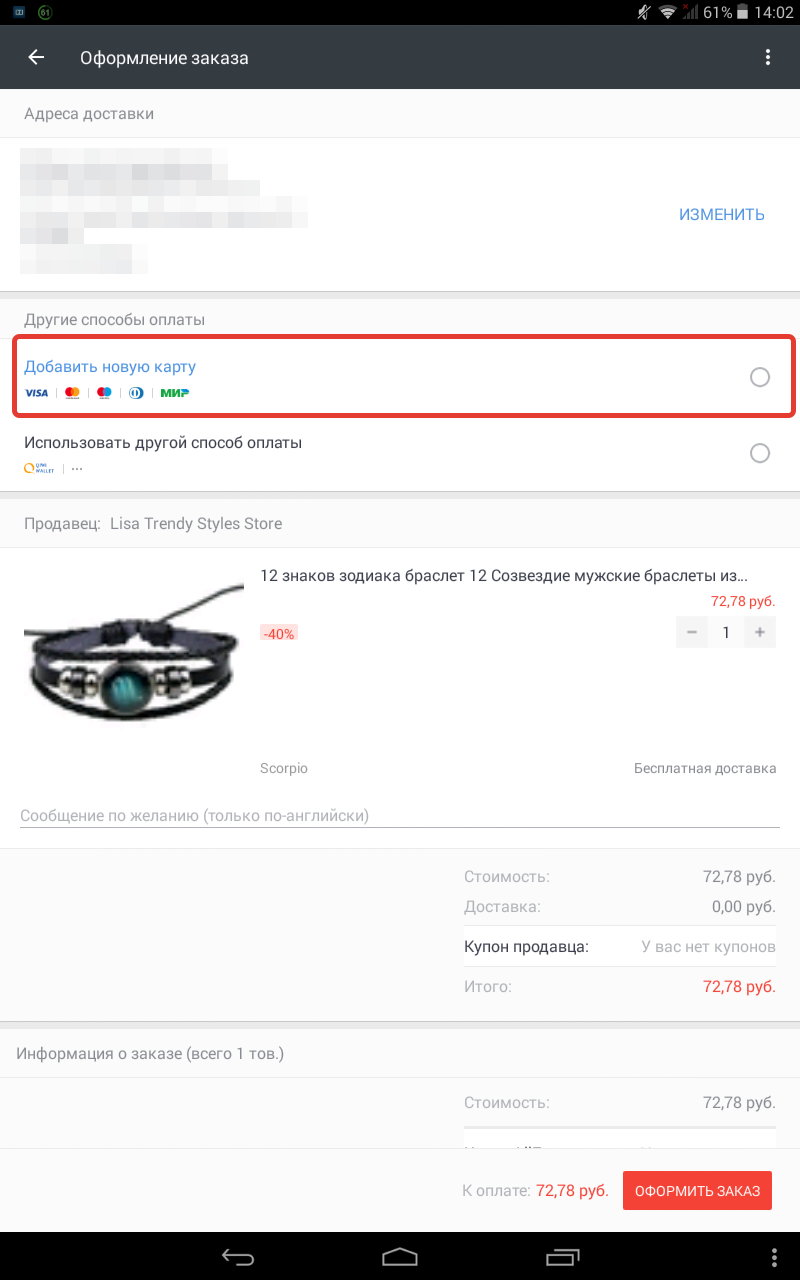
Adding a new map
- You will open a window where you need to specify the requisites of the card
They are filled in as follows:
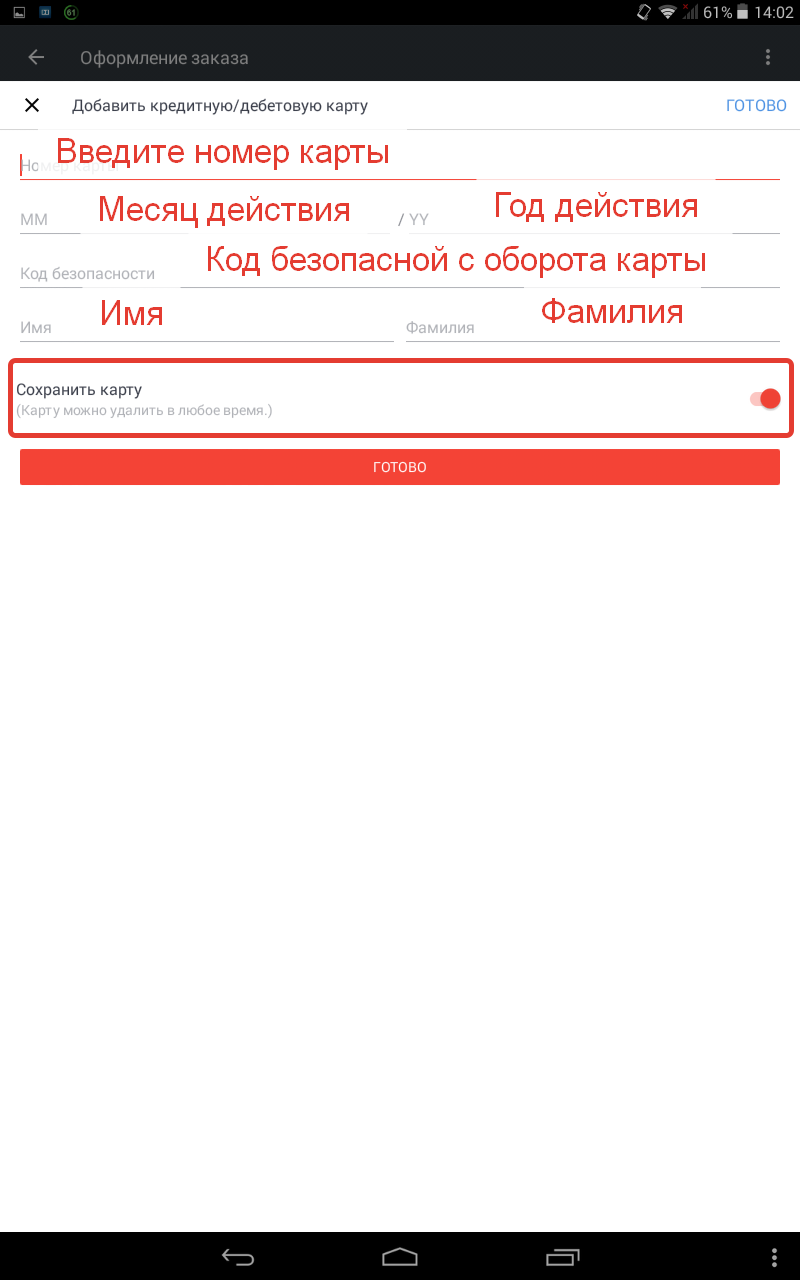
Enter the details of the map
- In the screenshot, it can be seen that the data storage button has a gray slider
- If you leave it, then your card will not be saved and when paying the next purchase on Aliexpress have to enter information re-
- So click on the switch so that it becomes red
- After that, select "Save" And spend payment
- Now these cards are saved and you do not have to introduce them again every time
If the payment is made not the first time and you already have a saved card, then when paying for the order, the system will offer this card (or card list). You will need to choose " Other payment methods", After that, the window will open where it will be necessary to choose "Adding a new card". Further actions you already know. They are described above.
Comments